Setting up new instruments - RGB with 128 max intensity

We proudly present: The release of DMXControl 3.3.3!


On September 29, 2026, we held our release show for DMXControl 3.3.3. During our usual “hour-long” session, we showed you all the new features in this version and what it now has to offer.
Read all about it in the corresponding news article: We proudly present: The release of DMXControl 3.3.3!


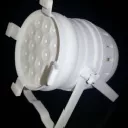
  • I've got some of these cheap Chinese LED RGB pars, and intensity is on the intensity channel between 1 and 128. 129-256 are reserved by hardware for various speed strobes. How do I set up my instruments to use 1-100% in the 1-128 range in DMX?

    Thanks in advance for any advice!
  • Hi,

    i think you must make a new ddf with the DDF creator. DDF Creator 3
    Now you set the dimmer channel to min value 1 and max value 128, for the strobe pulses you have to make a strobe Function in ddf creator
    and set this to min val. 129 and max val. 255.
    These are only the main functions, you have to assign the other channels too, in your case the colors i think.

    Don't forget to assign a channel number e.g 1 for strobe and dimmer andy maybe 2,3,4 for colors.
    Like i said, it belongs too your fixture and channel count.

    Maybe you can attache a pdf for the fixture so we can help you a little bit more precise.

    Kind Regards

  • Much appreciated. The fixtures didn't come with any documentation, so I had to figure out the function by trial and error. Still, they cost about $12 each and give me decent RGB color, so...

  • Newly created posts will remain inaccessible for others until approved by a moderator. The last reply was more than 365 days ago, this thread is most likely obsolete. It is recommended to create a new thread instead.