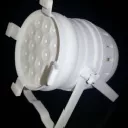
ZKYMZL Mini Moving Head

We proudly present: The release of DMXControl 3.3.3!


On September 29, 2026, we held our release show for DMXControl 3.3.3. During our usual “hour-long” session, we showed you all the new features in this version and what it now has to offer.
Read all about it in the corresponding news article: We proudly present: The release of DMXControl 3.3.3!


  • Hi, I'm hitting a brick wall with setting up the DDF file for this small moving head I'm using with my youth technical theatre class. It's just a simple moving flood and I want to use it to showcase the features of DMX control in class but there isn't a DDF file that I can find in the database. I don't need all the available features in the DDF file although it would be good to not have to tell DMX control to annex channels each time I want to patch this thing into the software so if it could be fully patched that would be a bonus. But really I just need it to respond properly to the moving head joystick and the RGBW joystick in the GUI but right now it constantly gives me error messages when I try to load the DDF into DMX Ccontrol.

    Any help fully appreciated.

    Current DDF file and manual attached.
  • JPK January 27, 2024 at 8:29 AM

    Approved the thread.
  • I have reworked the complete fixture because there were not all needed information included in your version or there are some functions, where you can simplify it. For a better discussion, I did not add it to a file.

    All functions, they are used there, are all explained in our documentation in our Wiki. The original is in German indeed, but I guess a translation tool will help you. :)

    If you have further questions, don't hesitate to ask. 8)

  • Hi there,

    after some reading in deeper detail into DDFs I managed to create the XML file needed from the text above and moved into the LibDevices directory. Absolutely works as intended. Many thanks for your assistance.

    I would like to try and edit it further and get the full range of functions written into the XML and then submit it to the DDF library but I'm not sure what some of the other functions are. What is "Motor Auto SH 1" for example? I'll check the tutorials again and give it a go and let you know how I get on.

    Thanks again.

    Metric.

  • Please note, that the LibDevice path in the program directory is not that path, where you should store your own created DDFs. The content inside that folder will be overwritten when executing the installer without any kind of information or warning.

    To store your own created DDFs use the path, that you can reach while clicking on the shortcut called “custom DDFs” (or something similar) in the start menu. In our documentation in our wiki, you find further information to that point.

  • What is "Motor Auto SH 1" for example? I'll check the tutorials again and give it a go and let you know how I get on.

    you'll find a "Channel overview" (or similar) in the menu where you can check the direct DMX values to a given DMX channel to see how your devece is acting to the values (not for real controlling a show)

  • Newly created posts will remain inaccessible for others until approved by a moderator. The last reply was more than 365 days ago, this thread is most likely obsolete. It is recommended to create a new thread instead.