


thanks musicsteve!!!
Posts by berengan
-
-
Sorry musicsteve.....
i don't understand what you mean.Please send me an example PLEASE....
-

Using DDFCreator
I always put the Virtual at the end & pick what channels I want
It always worked for me if I put in the correct "Key Word Text" in the correct column (You have to use "Key words" for Each Column or it will not work) & Setting
I will upload a file? if you want (Pic)
You also have to put a Value in the Work Virtual Dimmer
for it to workmmm.... i need to make a test!!
please send me an example to understand what you mean for "Key Word Text" in the correct column
many thanks for your support.
Best regards -
I've your same artnet device...
pc_dimmer plugin loader 4.2 + art-net transceiver
tested for season 2015/2016 no problem!

-
Good Afternoon,
i've a big problem:i've a led dimmer of 24 channels (more than one but not important at this moment...) with connected 6 RGBW led strips.
i need to have a virtual dimmer for each led stip...what's the problem?
 -> create a fixture put R1/G1/B1/W1......R4/G4/B4/W4 then 6 virtual dimmer... first for channels 1,2,3,4 second for 5.6.7.8 last for 21,22.23.24 ----> Work!!
BUT I WANT 6 FIXTURES...... why???? create a group, change and manage by group all features and much more
my ideaa :
create a fixture with 25 channels: first 4 channels R,G,B,W...20 name empty type gobo.....then virtual DIMMER on last channel
add 1 device at channel 1, test, WORK!! Good!!!
add the second to channel 26, test, WORK!!if i move the second one to channel 5 (empty on first device) the virtual dimmer of second one stop to work.

PLEASE PLEASE HELP ME!!!
Best regards.
-
Hello to all,
this is the 4th year that we use the dmxcontrol in our disco.
this year fixtures:
- 16 x Clay paky Goldenscan
- 6 x sgm Galileo
- 4 x BRITEQ W19L10
- 4 x Martin Beam
- 7 x Martin Strobe 5x5
- 2 x dmx strobo
- 8 x rgb par (just for ambilight)
equipmets:
- EasySuite appliance (atom d2550 + 4gb ram + win xp lite)
- Artnet 6 universe
- 2 x Keystation 61 midi keyboard
- 1 x korg NanoKontroller2
Additional software:
- Maple midi tools for keysplit & merge channels
Additional lighting equipment (non controlled by dmxcontrol)
- Banco 512 light equipment (simple controller for other light components)
- one hundred of various par 36/45/56 in multiple colors (yes! rgb par is better but we have no money for change
 )
) - one hundred of high voltage neon in multiple colors
- 4 smoke machines
.... and much more....
The opening is the next week but if you want a demo of last year stage check this link :
https://www.youtube.com/user/lorisberengan/videos
soon for the videos/photos of new stage -
hello,
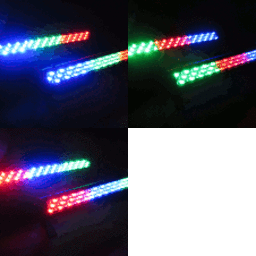
i've tryed this great plugin but now i've 7 martin/rush strobe 5x5 panel that create an 5x35 led wall not RGB....
there are some info about source or a not rgb version of this plugin ?
Many thanks and best regards
-
I'm not sure, but I think you mean this:
%appdata%\PopSoft\DMXControl\MIDIRemote.dat
??
This should be the Midi-Settings.Jojo
YESSSSS!!! the file is in the appdata!! Thanks.
-
this evening i will make more tests about the problem.
i will report exactly wath i do an what happen...
regards.
-
.... yes.... i've the file... BUT DON'T WORK ...
i can't copy my midi settings (lot of settings).
if i copy the file don't change anithing inside the dmxcontrol. -
Hi to all!
i use the dmx control in production mode in an italian disco.
now, after 3 years, i need to change the computer but i've a little problem:
i've installed the same (last) version in new pc then copied the project folder and all the program folder to the new pc.
all is fine but the midi assignment is missing.
at the start of my dmxcontrol adventure i've made the same and all has worked fine...i've made some other tests
: all work fine until version 2.10.. from 2.11 midi is missing!
i think that MIDIRemote.dat in the last versions is not used...were is the midi settings

Many thanks and best regards